Product released:
MVP (iOS)
Project duration:
1 month
Team size:
1 person
Role:
Individual contributor (researcher, designer, developer)

Companion - an app for productivity
Product overview
Companion is a productivity app designed to combat chronic procrastination and isolation through the power of "Body Doubling." Unlike traditional to-do lists that often feel like a burden to a procrastinator, Companion provides a shared, independent working environment.
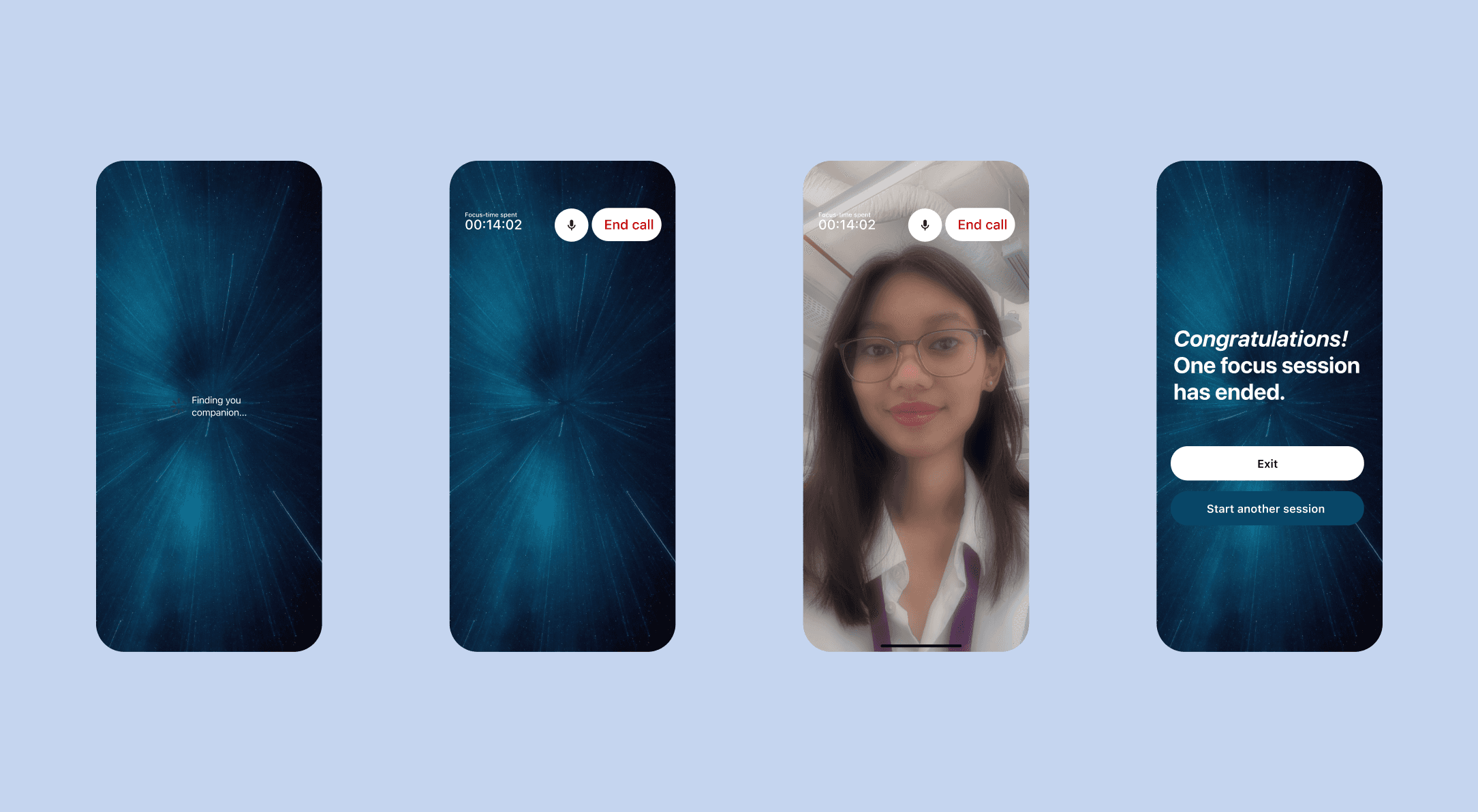
Users are matched for focused sessions via voice or video calls, allowing them to work on their own tasks in the presence of another. By addressing the emotional roots of procrastination—loneliness and being overwhelmed—Companion acts as a quiet, supportive "focus buddy" to help users get through their day, one task at a time.
The challenge
This project was a battle between following "safe" feedback and trusting my own design intuition:
The Complexity Trap: My initial idea—a "Tinder for productivity"—was met with concerns regarding security, preference matching, and technical complexity. Fearing I was "too much of a beginner" to handle it, I abandoned my vision for a "safer," simpler Tamagotchi-style to-do list.
The Identity Crisis: Six days before the deadline, I realized I had no passion for the "safe" version. It lacked soul and didn't solve the core problem of procrastination. I had to choose: finish a mediocre project I didn't believe in, or attempt a massive pivot back to my original idea.
The 72-Hour Rework: I challenged myself to rework the entire Lo-Fi, User Testing, and Hi-Fi design in just one weekend. Driven by sheer determination, I successfully validated the original concept, proving that a solution with heart is easier to build than a "safe" one that feels hollow.
Technical Learning Curve: As my first project at the Apple Developer Academy, I had to learn Swift and Figma simultaneously while managing the logic of a real-time connection app.
Execution
Design Logic: Radical Simplicity
To ensure the app helped rather than hindered a procrastinator, the design system focused on removing friction:
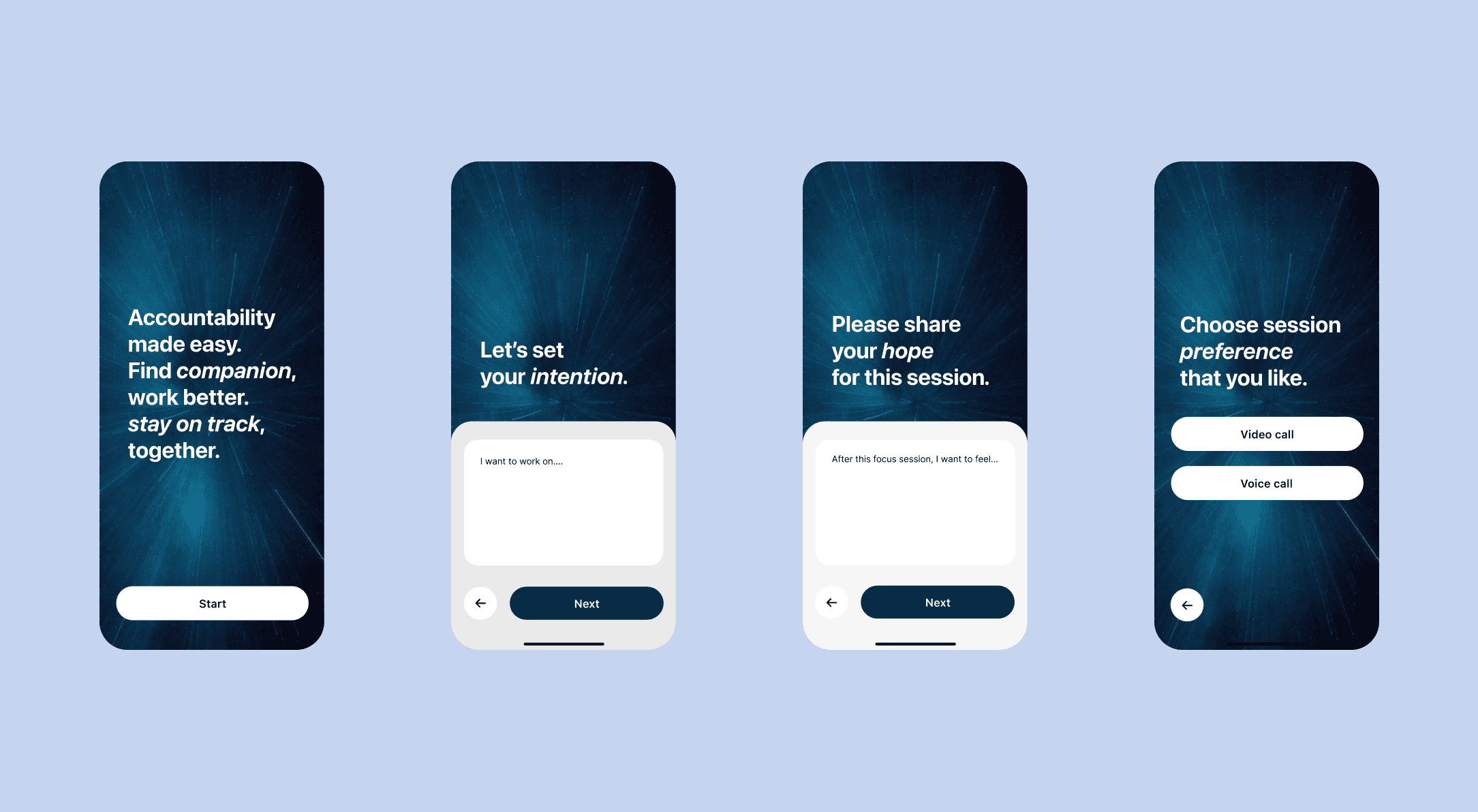
Anonymous & Intentional: There is no sign-up or login process. Users stay anonymous to remove the pressure of "performing" productivity.
The Intention Phase: Before a session begins, users must write down their specific goal and how they want to feel afterward. This mental "warm-up" helps bridge the gap between avoiding a task and starting it.
Low-Pressure Interaction: Users choose between voice or video and can mute themselves at any time. The focus is on presence, not conversation.
Systemic Constraints as Design Choices: Given the 2-week development window, I prioritized a clean, functional flow over complex data storage, ensuring the MVP (Minimum Viable Product) was stable and focused.
Result & Reflection: Trusting the Process
The project culminated in a successful High-Fidelity Prototype and a functional demo. More importantly, it served as a defining moment in my journey as a creator.
Key Takeaways:
Valuing the "Spark": I learned that while feedback is essential, it should never silence your own voice. A designer’s job is to filter feedback through their vision, not replace their vision with it.
Determination over Deadlines: Completing a pivot and development in a seemingly "unrealistic" timeframe taught me that when you are truly aligned with your solution, the work becomes effortless.
Humility in Design: Acknowledging that procrastination is a complex, often internal struggle allowed me to build a tool that offers support rather than just another system of punishment.